

- Découvrir
- Produits
-
Entreprise
Wacom pour entreprise

Signature
SolutionsRéviser, annoter et signer des documents numériques à l'aide des solutions matérielles et logicielles Wacom.

Solutions de flux de travail créatif
Améliorez votre processus créatif grâce à des écrans interactifs professionnels, des tablettes à stylet et l'intégration de logiciels créatifs.

Technology Solutions
Technologies d'optimisation et d'efficacité pour les grandes entreprises internationales.

Wacom Ink Technologies
Moteur d'encrage universel et cadre de couche d'encre reliant le matériel, le logiciel et les applications.

Formation
Des solutions diverses pour aider les éducateurs et étudiants à créer, communiquer et maximiser l’expérience d’apprentissage.
-
Éducation

Éducation créative
Encouragez vos étudiants à élargir leur horizon créatif et préparez-les à une vie professionnelle accomplie dans les métiers de l’art et du design.

Wacom et l’éducation
Aider les enseignants et les étudiants à s'adapter à de nouveaux environnements.
- Aide


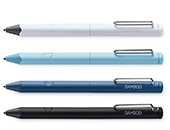




Pour commencer avec votre
Wacom MovinkPad 11

1. Configurer l'appareil
Veuillez suivre les instructions affichées à l'écran pour terminer la configuration de l'appareil.
2. Mettre à jour l'appareil
Veuillez vérifier que votre appareil est à jour. > >Vous pouvez vérifier les mises à jour dans « Paramètres » > « Système » > « Mise à jour du système » > « Mise à jour du système Android » pour confirmer la mise à jour.

3. Enregistrer l'appareil
Ouvrez l'assistance Wacom à partir des paramètres et cliquez sur « Enregistrer un produit » pour créer un compte Wacom ID ou connectez-vous et enregistrez votre appareil pour obtenir le logiciel inclus, rejoindre la communauté et bien plus encore.
À propos des applications Wacom

Toile Wacom
Wacom Canvas est un outil simple qui vous permet de dessiner facilement. Vous pouvez immortaliser votre inspiration à tout moment, où que vous soyez, dès qu'elle vous vient.
La fonction de dessin rapide lancera "Wacom Canvas" en appuyant longuement sur le stylet sur l'écran en mode veille. Vous pouvez également ouvrir le croquis dans l'Clip Studio Paint et l'affiner avec des dessins détaillés.
Vous pouvez également ouvrir l'esquisse dans Clip Studio Paint et ibis Paint X et l'affiner avec un dessin détaillé.
Télécharger Wacom Canvas sur Google Play

Étagère Wacom
app Wacom Shelf est une application qui vous permet de consulter une liste de vos travaux passés et des images de référence nécessaires à vos créations.
Vous pouvez filtrer et afficher les croquis, les travaux en cours et les œuvres terminées de différentes manières.
Télécharger Wacom Shelf sur Google Play
Conseils Wacom
Wacom Tips est une app qui regroupe des conseils d'utilisation et des informations utiles.
Cette application vous guidera à travers les fonctions de chaque application, les paramètres matériels et d'autres informations qui pourraient vous intéresser.
Télécharger Wacom Tips sur Google Play
Laboratoire Wacom
Wacom Lab est une communauté expérimentale de créateurs où nous testons les dernières fonctionnalités et les derniers services.
Wacom Lab offre un accès anticipé aux fonctionnalités des pré-versions, ce qui permet aux utilisateurs de les expérimenter et de faire part de leurs commentaires afin d'améliorer le produit.
Vos expériences permettront de partager et de co-créer de nouvelles fonctionnalités et de nouveaux services de Wacom, ouvrant ainsi la voie à des possibilités encore plus grandes.
Cette fonctionnalité est encore en version bêta et sa performance n'est pas garantie.
Comment utiliser le mode d'affichage du stylet instantané de Wacom ?
Voir la vidéoObtenez des offres de logiciels gratuits avec chaque Wacom MovinkPad 11*.
*Pour obtenir votre logiciel gratuit, vous devez vous connecter ou créer un site Wacom ID avec vos données personnelles et enregistrer votre Wacom MovinkPad 11.


Débuts de Clip Studio Paint
Le grade d'entrée de Clip Studio Paint, le app utilisé par les professionnels du monde entier. Il propose des fonctions essentielles pour la création d'illustrations, plus de 40 000 pinceaux gratuits, des modèles 3D de référence et la possibilité de créer des bandes dessinées et de courtes animations. Utilisez ce site app pendant deux ans pour créer n'importe quoi, de l'esquisse au chef-d'œuvre fini.
Note : Un compte Clip Studio est nécessaire pour utiliser Clip Studio Paint Debut. Les conditions d'utilisation s'appliquent.
Clip Studio Paint Les utilisateurs de DEBUT peuvent passer à l'abonnement mensuel ou annuel Clip Studio Paint Pro/EX à un prix spécial.


ibisPaint X
Profitez d'un essai exclusif de 180 jours de l'abonnement ibisPaint Prime, un puissant logiciel de dessin app apprécié par tous, des débutants aux professionnels. Les membres Prime bénéficient d'un accès complet à plus de 40 000 pinceaux, 20 000 matériaux, filtres, polices et bien plus encore, parfaits pour créer des illustrations, des mangas, des logos ou des animations sans limites. Compatible avec les smartphones, les tablettes à stylet et les PC, et doté d'un stockage sur le cloud pour un partage facile et une création transparente à tout moment et en tout lieu.
*Pour commencer la période d'essai de 180 jours d'ibisPaint en tant que membre Prime, l'enregistrement auprès d'ibis est nécessaire. Les conditions et le site conditions s'appliquent.

Artwod
Artwod est une plateforme de dessin interactive qui facilite l'apprentissage en le transformant en jeu et en fournissant des conseils professionnels à chaque étape. Couvrant un large éventail de sujets, du niveau débutant au niveau expert, il convient aux artistes à tous les stades de leur parcours, et vous permettra de rester motivé grâce au suivi unique de la progression par le jeu.
Accédez à l'abonnement Artwod Core pendant 3 mois avec votre appareil Wacom*.



Magma
Magma est une plateforme de dessin collaborative destinée aux artistes du monde entier. Elle propose des Art Jams, des défis créatifs et met en avant des créateurs inspirants.La plateforme prend en charge l’utilisation du stylet et du tactile, aussi bien pour des créations en solo que sur une toile partagée.Accessible directement depuis un navigateur, elle intègre la fonctionnalité Multiboard, pour un dessin de groupe transparent. Les acheteurs de la Wacom MovinkPad bénéficient d’un essai de trois mois de Magma Blaze, incluant des fonctionnalités avancées.
* Pour commencer l’essai gratuit de 3 mois du logiciel Magma, l’inscription auprès du fournisseur Magma est requise. Offre soumise aux Conditions d'utilisation.

Accessoires

Wacom Pro Pen 3E
Le Wacom Pro Pen 3E est doté d'un interrupteur de gomme à l'arrière et d'un trou pour attacher un cordon d'attache pour le stylet. *Le site Wacom Pro Pen 3E ne permet de personnaliser que les boutons latéraux. La poignée et la massette ne peuvent pas être attachées.

Wacom Pro Pen 3
La précision que vous attendez d'un stylet Wacom. Avec la personnalisation du poids, de l’épaisseur du manche, des boutons et du centre de gravité, trouvez le parfait équilibre selon votre style.

Manche droit Wacom Pro Pen 3
Manche de rechange droit pour votre Wacom Pro Pen 3 (ACP50000DZ)

Wacom Pro Pen 3 Arbre en carbone POM pointe 5pc
Remplacement des pointes en carbone POM pour votre Wacom Pro Pen 3 (ACP50000DZ) 5pc


Manche évasé Wacom Pro Pen 3
Manche de rechange évasé pour votre Wacom Pro Pen 3 (ACP50000DZ)

Pointes-feutres Wacom Pro Pen 3, 10 pc
Pointes-feutres de rechange pour votre Wacom Pro Pen 3 (ACP50000DZ) 10 pc

Bloc d'alimentation
L'adaptateur d'alimentation AC de remplacement est une alimentation externe conçue pour fonctionner spécifiquement avec Wacom Cintiq 16 (DTK168), Wacom Movink (DTH135), Wacom One (DTH134 / DTC121), Wacom MovinkPad 11 (DTHA116), Wacom MovinkPad Pro 14 (DTHA140). Port d'alimentation USB-C avec têtes de branchement spécifiques à chaque région.

Câble USB-C vers C 1.0M
Câble USB-C de remplacement (1.0M) pour Wacom One tablette à stylet (CTC6110 / CTC4110), Wacom Intuos Pro (PTK870 / PTK670 / PTK470), Wacom MovinkPad 11 (DTHA116), Wacom MovinkPad Pro 14 (DTHA140). (Ne prend pas en charge la sortie vidéo.)

Socle pliable Wacom
Ce socle peut être rapidement et facilement ouvert pour être utilisé, puis plié et transporté dans son étui.
