Wacom Bridgeとは?

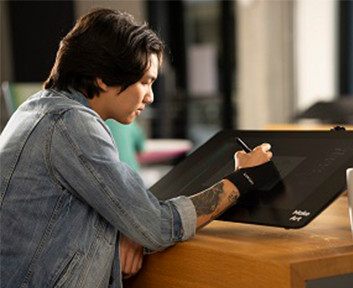
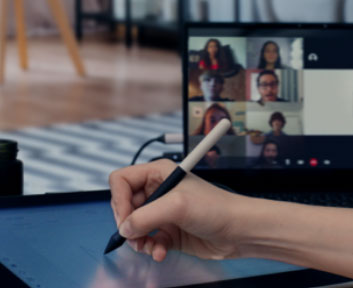
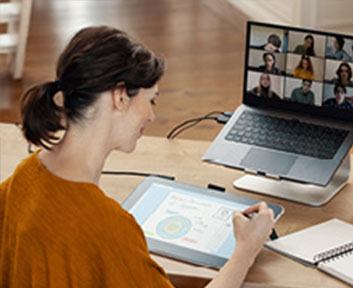
クリエイターのリモートワークやハイブリッドなワーク環境は、新しい常識となり今後も益々拡大していくことでしょう。ワコムは、リモートデスクトップ接続に対応したプロ向けペンタブレット及び液晶ペンタブレットでの作業を飛躍的に向上させる革新的なテクノロジーソリューションを開発しました。

Wacom Bridgeの提供状況は、パートナーと地域によって異なります。対応パートナーとアクセス情報については以下をご覧ください。

Wacom Bridge試用後のフィードバックはこちら

wacom

Wacom Bridgeについて

クリエイティブなチームは、リモートデスクトップの制限にもう悩まされることはありません。Wacom Bridgeを使えば、アーティスト、デザイナー、開発者は、ローカルとリモートの両方のマシンでペンとタッチ入力を最大限に活用することができます。ペンのローカル使用とリモート使用の切り替えは、アプリケーションウィンドウを選択するのと同じくらい簡単です。さらに、ローカルとリモートで同じアプリケーションを実行すると、アプリケーション固有の設定が両方のシステムで自動的に適用されます。

クリエイターの方には、Wacom Bridgeの新機能Wacom Inklineがおすすめです。Wacom Inklineは、遅延のある環境下でのペン入力を支援する機能です。


Wacom Bridgeの要件

対応ワコムデバイス

  • Wacom Cintiq Proシリーズ(DTH-1320、DTH-1620、DTK-2420、DTH-2420、DTH-3220、DTH167、DTH172、DTH227、DTH271)
  • Wacom Intuos Proシリーズ(PTH-460、PTH-660、PTH-860、PTK470K0A、PTK670K0A、PTK870K0A)
  • Cintiq 16, 22 (DTK-1660、DTK-2260)
  • Cintiq 16, 24 (DTK-168、DTH-246、DTK-246)
  • Wacom MobileStudio Proシリーズ(DTH-W1320, DTH-W1620, DTH-W1321, DTH-W1621)
  • Movink (DTH135)

さあ始めよう

Wacom Bridgeの導入方法、サポート、実装のトラブルシューティング方法

ワコムサポートページをご覧ください

Wacom Bridge認定パートナー

aws and aws qualified software logos

Amazon DCV

With Amazon DCV, you get flexible and cost-effective licensing, high-performance remote visualization, GPU-driven clarity, and smooth local-to-remote transition.

Wacom Bridge is live for Amazon DCV and Amazon WorkSpaces Applications globally.

To test Wacom Bridge, make sure you have a working Amazon DCV system (bare metal, EC2 or WorkSpaces Applications) and a supported Wacom device. Then click on the link below to create your Wacom ID and obtain an evaluation license.

Get Started

Required client/server version number: 2024.0 or later

Local (client) OS: Windows 10 or later. Recommended: Client system have an Nvidia or AMD graphics accelerated system

Remote (host) OS: Windows 10 or later. Recommended: Client system have an Nvidia or AMD graphics accelerated system

Required Wacom Driver Version: v6.4.8 or later installed on both the local and remote system.

Local (client) OS: MacOS 13 or later. Min Requirement : CPU i5, RAM 8GB. Recommended : CPU M1, RAM 16GB. Available for Amazon DCV version number: 2024.0.8004 or later. WorkSpaces Applications from V 1.3.0.

Required Wacom Driver Version : v6.4.11 or later installed on both the local and remote system.

Remote (host) OS: Windows 10 (x64) or later. Windows Server 2022 or later. Recommended: Client with GPU video card.

Wacom Bridge license and internet access to Wacom's license server required. Contact your Wacom sales representative or fill in the form below to request a production license.


Distribution Partners

Arch Platform Technologies

Arch Platform Technologies and Wacom have announced a strategic integration, bringing Wacom Bridge support directly into the Arch Platform.

This collaboration delivers seamless, high-performance experience for creative and design professionals who rely on Wacom pen displays and pen tablets while working on remote or cloud-based workstations.

NI SP

NI SP is a provider of remote desktop and high-performance computing solutions. As a partner of Wacom Bridge, NI SP enables seamless Wacom pen functionality within virtual environments allowing creative professionals to work remotely with full pen precision, responsiveness and reliability.

Remangu

Wacom Bridge is integrated into the Remāngu workstations operating on AWS, enabling a seamless pen experience in remote environments. The technology allows a local Wacom device to function as if it were directly connected to the remote workstation. By transmitting pen data independently from the video stream, Wacom Bridge significantly reduces latency and delivers the precision and responsiveness professionals expect from Wacom.  

splashtop logo

Splashtop

Wacom Bridge is live for Splashtop systems globally. To test or use Wacom Bridge, make sure you have a supported Wacom device and Splashtop subscription, then follow the Getting Started instructions in the Support Center.

Get started

Required client/server version number: Business Access Performance or Enterprise, v. 3.6.2.0 or later

Local (client) OS: Windows 10 or later. Recommended: Client system have a Nvidia or AMD graphics accelerated system

Remote (host) OS: Windows 10 or later. Host system must have a respectable Nvidia Graphics card and current drivers.

Required Wacom Driver Version: v6.4.5 or later installed on both the local and remote system.

お問い合わせはこちら

Back to top
A+ A-
サポート