Wacom's flagship pen tablet

We have dedicated ourselves to this for a long time.

How can we replicate the feel of pen and paper in a digital environment?
What does it take to express yourself exactly as you intend?
What makes a pen that never tires you out?
What makes for a truly immersive experience?

We considered every possible drawing and writing scenario,
and set out to reimagine the pen tablet experience.

Now, enter the next stage of the evolution with Wacom.

Wacom Intuos Pro


Natural drawing experience. The perfect fit.

The pen's high report rate delivers greater accuracy, with the expressiveness and responsiveness you expect.
It adapts to your hand movements, making even fast strokes and delicate curves feel surprisingly natural and smooth.

Even the subtlest nuances are expressed as intended

The Wacom Pro Pen 3 features a high-strength carbon shaft nib, reducing pen wobble for a more direct drawing experience.
With 8,192 levels of pressure sensitivity and ±60 degree tilt detection, even the most delicate strokes are accurately reproduced. Achieve the exact line weight and shading you intend.

Captures your mark exactly where you make it.

The Wacom Intuos Pro offers improved responsiveness to pen input thanks to its high-performance digitizer (sensor) and newly developed, proprietary IC chip.
It accurately captures the pen's exact contact point, enabling greater precision for detailed tasks such as photo retouching, 3D modeling, and video editing.


Exceptional performance in any situation

Compatible with a wide range of applications.
The Wacom Intuos Pro delivers high performance across various creative environments, including graphics, 3D, design, and photo/video editing.


Streamline operations with minimal effort

Designed for use with a keyboard, the dial and ExpressKeys™ are placed at the top.
Minimizing hand movements improves usability.
The distinct, tactile clicks felt by your fingertips allows for more accurate control.


Lightweight and compact, yet spacious

With a lightweight, slim, and compact design, it’s even easier to carry around.
The active area has been expanded to 16:9, making it compatible with a wide range of display setups.


Made just for you, for your comfort

Customize the grip, side switches, and balance to create your ideal pen.
The Wacom Pro Pen 3 comes standard with three different types of replacement nibs of varying hardness and materials, including a carbon shaft rubber nib developed for precision work.
Choose your preferred pen nib for maximum comfort.

Seamless switching, stable connection

Wacom Intuos Pro supports both USB cable and Bluetooth connections.
You can connect to as many as three devices, and easily switch between them using the slider.
With up to 16 hours of battery life, you can enjoy a reliable working environment.

Expand Your Creative Possibilities with the Wacom Art Pen 2

Wacom Intuos Pro is compatible with the Wacom Art Pen 2, which features 360°barrel rotation.*1 The comfortable thick grip allows for natural drawing with pen rotation, just like a traditional brush. The three side switches*2 and customizable nib support your preferred working style.

*1 Software that supports rotation is required. 
*2 Side switches are available on compatible product models and with compatible software.

     • A firmware update is required. Please check the Wacom Center.

Sustainable by design

Wacom is striving to make our products more environmentally friendly. From product design materials to packing, the new generation uses recycled materials wherever possible to produce the most sustainable Intuos Pro ever. Because crafting better worlds starts with caring for ours.

Choose your Wacom Intuos Pro

Wacom Intuos Pro Small

215 x 163 x 4-7 mm / 8.5 x 6.4 x 0.16-0.28 in
Wacom Pro Pen 3
8,192 pen pressure levels
5 ExpressKeys, 1 dial
Built-in Bluetooth connectivity

Shop now

Wacom Intuos Pro Medium

291 x 206 x 4-7 mm / 11.5 x 8.1 x 0.16-0.28 in
Wacom Pro Pen 3
8,192 pen pressure levels
10 ExpressKeys, 2 dial
Built-in Bluetooth connectivity

Shop now

Wacom Intuos Pro Large

377 x 253 x 4-7 mm / 14.8 x 10 x 0.16-0.28 in
Wacom Pro Pen 3
8,192 pen pressure levels
10 ExpressKeys, 2 dial
Built-in Bluetooth connectivity

Shop now

Get complimentary software offers with every Wacom Intuos Pro*.

*To get your complimentary software, you need to sign-in or create a Wacom ID with your personal data and register your Wacom Intuos Pro.


Capture One

Work less and create more with a full suite of editing features and AI tools that take care of time-consuming tasks with 3 months* of Capture One and your Wacom device. Fast tethered shooting right into your computer. Seamless collaboration with teams and clients no matter where they are in the world. Expertly-designed presets for instant looks. Plus, mind-blowing colors and image quality. All made to work the way you want, alongside your Wacom device.

*To begin using Capture One, registration with Capture One and a software subscription with long-term fees according to Capture One's terms of sale is required. For termination you must cancel subscription before the end of the 3-month trial period. Further terms and conditions apply.


MASV

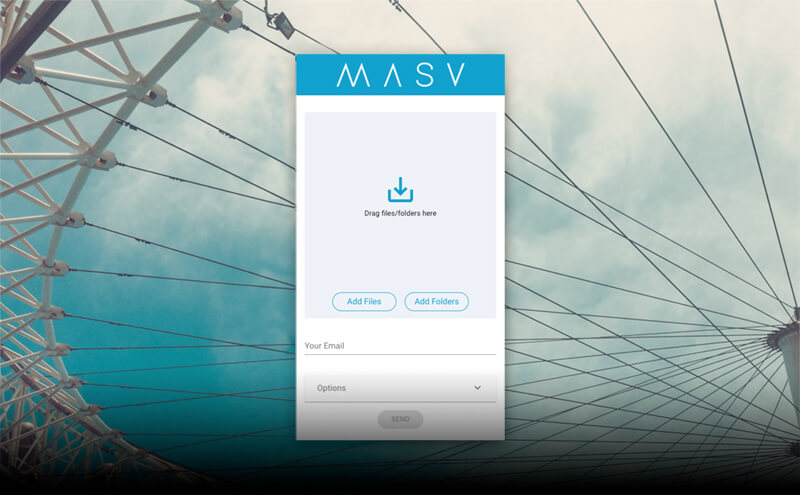
Redeem 3 free months* (or 250 GB) of lightning fast file transfer. MASV is the fastest and most reliable way for video and creative pros to transfer large, time-critical files. You can send files to desired recipients or use MASV portals so clients or partners can transfer files to you. Its simple user interface makes it easy for anyone to use.

*To begin 3-month complimentary trial of MASV, registration with MASV is required. Terms and conditions apply.


Secure and license your art with Wacom Yuify

Learn more

Specifications

Pen

Wacom Pro Pen 3 & 3rd party compatible pens

Tablet size

16:9 aspect ratio Small, Medium & Large sizes

Ultra Thin

4 mm (0.16 in) thin

Ergonomics

Right or Left-handed use

Productivity Boosters

ExpressKeys™ and mechanical Dial at top of tablet

Easy to Connect

Bluetooth™ or USB cable connectivity


Product information

Product type

Creative Pen Tablet


Global Model Code

Intuos Pro Small

  • PTK470
  • Intuos Pro Medium

  • PTK670
  • Intuos Pro Large

  • PTK870

  • Product Dimensions ( L x W x H )

    Intuos Pro Small

  • 215 x 163 x 4~7mm / 8.5 x 6.4 x 0.16~0.28 in
  • Intuos Pro Medium

  • 291 x 206 x 4~7 mm/ 11.5 x 8.1 x 0.16~0.28 in
  • Intuos Pro Large

  • 377 x 253 x 4~7 mm/ 14.8 x 10 x 0.16~0.28 in

  • Active area

    Intuos Pro Small

  • 187 x 105mm / 7.4 x4.1 in
  • Intuos Pro Medium

  • 263 x 148 mm / 10.4 x 5.8 in
  • Intuos Pro Large

  • 349 x 195 mm / 13.7 x7.7 in

  • Product Weight

    Intuos Pro Small

  • 240g / 8.47 oz
  • Intuos Pro Medium

  • 411g / 14.50 oz
  • Intuos Pro Large

  • 660g / 23.28 oz

  • Product Color

    Black


    Battery

    Yes - Built-in, non-replaceable Li-ion battery


    Continuous Operation Time / Charging Time

    16 hours minimum* / Rapid charge time of 2 hours and full charge at 3.5 hours
    *Battery life will vary. It depends on how the products are used and which device settings are selected.


    Limited warranty

    2 years in USA, Canada, Latin America, Australia/New Zealand, and Europe
    1 year in Japan, China, and Asia Pacific


    Pen & Touch Technology

    Pen Name

    Wacom Pro Pen 3


    Number of Switches

    3 side switches


    Pen pressure levels

    8192


    Supported Pen Tilt Angle

    ± 60 degrees


    Pen Resolution

    5080 lpi


    Pen Type

    Pressure-sensitive, cordless, battery-free


    Pen Technology

    Patented electromagnetic resonance method


    Multi-touch

    No


    ExpressKeys™

    Intuos Pro Small

  • 5 customizable, application-specific keys
  • Intuos Pro Medium & Large

  • 10 customizable, application-specific keys

  • Dial

    Intuos Pro Small

  • 1 customizable, application-specific dial
  • Intuos Pro Medium & Large

  • 2 customizable, application-specific dials

  • Replacement nibs

    10 Pro Pen 3 nibs (5 standard, 3 felt, and 2 rubber included in pen stand)


    Grips

    Latex-free silicone rubber


    Desktop pen stand

    Yes


    Compatibility & Connectivity

    Hardware Requirements

    USB port*, Bluetooth® Low Energy for wireless connection. Internet access to download driver** and select downloadable software.***

    *For wired connections, USB-A to USB-C adapter may be required.

    ** Download and installation of driver is required to access full product functionality.

    **Wacom ID and product registration required. Agreement to Terms of Use and respective license agreement(s) from bonus software companies required.


    Cable included

  • USB-C to A cable (1.8m)

  • System requirements

  • Windows 10 or later (latest service pack/build)
  • macOS 13 or later
  • Bluetooth® for wireless connection.
  • Internet connection to download driver* and software

  • What’s Included & Optional Accessories

    What's included

  • Wacom Intuos Pro Pen Tablet (Small, Medium or Large)
  • Wacom Pro Pen 3 (battery free) with Flare grip, Balance weight, and Tall side switch insert with buttons
  • Pen stand (includes 5 standard nibs, 3 Felt nibs and 2 Rubber nibs, Nib Remover)
  • USB-C to A cable (1.8m)
  • Pen accessories: Straight grip, Tall side switch insert without buttons, Short side switch insert with buttons, and Short side switch insert without buttons
  • Quick Start guide and Important Product Information sheet
  • Warranty card & Greeting card (Mainland China only)


  • Optional Accessories

  • Wacom Pro Pen 3 (ACP50000DZ)
  • Wacom Pro Pen 3 Customization Kit (ACK45601Z)
  • Wacom Pro Pen 3E (ACP501E00DZ)
  • Wacom Art Pen 2 (ACP70000DZ)
  • Wacom Pro Pen 3 Straight Grip (ACK34801Z)
  • Wacom Pro Pen 3 Flare Grip (ACK34802Z)
  • Wacom Pro Pen 3 Standard Nibs (ACK24801Z)
  • Wacom Pro Pen 3 Felt Nibs (ACK24819Z)
  • Wacom Pro Pen 3 Rubber Nibs (ACK253010Z)
  • Wacom Texture Sheet Small - Standard (ACK153112Z)
  • Wacom Texture Sheet Medium - Standard (ACK153212Z)
  • Wacom Texture Sheet Large - Standard (ACK153312Z)
  • Wacom Drawing Glove (ACK4472501Z, ACK4472502Z)
  • Wacom Soft Case Small (ACK53501Z)
  • Wacom Soft Case Medium (ACK52701)
  • Wacom Soft Case Large (ACK52702)
  • Wacom One Pen Tablet S/M USB-C to C cable (ACK45006Z)
  • Wacom Intuos Pro/Wacom One Pen Tablet USB-C to A cable (ACK42206)

  • Optional Compatible Pens

  • Hi-uni DIGITAL for Wacom (CP20206BZ)
  • STAEDTLER, Noris digital
  • STAEDTLER Noris digital jumbo
  • LAMY safari twin pen all black EMR Digital Writing
  • LAMY AL-star black EMR Digital Writing
  • Dr. Grip Digital for Wacom (CP202A01A/CP202A02A)
  • THIRDWAVE Mitsubishi 9800 digitizer pen
  • Galaxy S22 Ultra S pen
  • Kaweco AL SPORT Connect EMR Black
  • Prior generation pens (Pro, Classic, Art, Grip)


  • Accessories

    Wacom Pro Pen 3

    The Wacom Pen precision you'd expect.  With customizable weight, grip thickness, pen buttons and center of gravity, find the balance that suits your style. 

    Wacom Pro Pen 3 Straight Grip

    Straight grip replacement for your Wacom Pro Pen 3 (ACP50000DZ)

    Wacom Pro Pen 3 Flare Grip

    Flare grip replacement for your Wacom Pro Pen 3 (ACP50000DZ)

    Wacom Pro Pen 3 Carbon Shaft POM nibs 5pc

    Carbon Shaft POM nib replacements for your Wacom Pro Pen 3 (ACP50000DZ) 5pc

    Wacom Pro Pen 3 Felt Nibs 10pc

    Felt nib replacements for your Wacom Pro Pen 3 (ACP50000DZ) 10pc

    Wacom Pro Pen 3 Carbon Shaft Rubber Nibs 5pc

    Carbon Shaft Rubber nib replacements for your Wacom Pro Pen 3 (ACP50000DZ) 5pc

    Wacom One Carry Case

    Carry and protect your Wacom One along with your laptop in style. Pockets and dividers help you stay organized on the move.

    Wacom Soft Case Small

    Protect your Wacom Pro Small with the durable, water resistant Wacom Soft Case Small.

    Wacom Soft Case Medium

    Protect your Wacom Intuos Pro, Cintiq Pro or MobileStudio Pro with the durable, water-resistant Wacom Soft Case Medium.

    Wacom Soft Case Large

    Protect your Wacom Intuos Pro, Cintiq Pro, Cintiq, or MobileStudio Pro with the durable, water-resistant Wacom Soft Case Large.

    USB-C to C cable 1.0M

    Replacement USB-C cable (1.0M) for Wacom One Pen tablets (CTC6110 / CTC4110), Wacom Intuos Pro (PTK870 / PTK670 / PTK470), Wacom MovinkPad 11 (DTHA116), Wacom MovinkPad Pro 14 (DTHA140). (Does not support video output.)

    USB Cable for Wacom Intuos Pro, 2.0m

    USB cable for Wacom Intuos Pro, 2.0m

    Wacom Texture Sheet Small - Standard

    Standard replacement surface sheet for Intuos Pro Small (2025) (PTK470) 1 pc

    ExpressKey™ Remote

    Save time on common creative tasks with the ExpressKey™ Remote's set of 17 customizable buttons and Touch Ring.

    Wacom Texture Sheet Medium - Standard

    Standard replacement surface sheet for Intuos Pro Medium (2025) (PTK670) 1 pc

    Wacom Texture Sheet Large - Standard

    Standard replacement surface sheet for Intuos Pro Large (2025) (PTK870) 1 pc

    Wacom Drawing Glove

    Our eco-friendly glove prevents smudges on your Wacom display or tablet surface.

    Wacom Pro Pen 3 Customization Kit

    The customization kit for Wacom Pro Pen 3. With customizable weight, grip thickness, pen buttons and center of gravity, find the balance that suits your style.

    Wacom Pro Pen 3E

    The Wacom Pro Pen 3E features an eraser switch at the rear and a hole for attaching a pen tether. *The Wacom Pro Pen 3E only allows customization of the side switch. The grip and balance weight cannot be attached.

    Wacom Art Pen 2

    Rotation* and tilt support pen with a thick, easy-to-grip handle which delivers natural drawing like a traditional brush. * The Software must support rotation sensitivity.

    Back to top
    A+ A-
    Support