



Wacom x EVANGELION — Activation
Wacom Movink Pad Pro EVA Logo ©︎khara

A display refined to feel like drawing on paper, combined with our highest-precision pen. The sensation of drawing exactly as you intend — a complete synchronization of the senses. An Evangelion collaboration design that elevates every moment of creation. For professionals devoted to their tools, it is an immersive creative experience beyond all expectations. Waccom MovinkPad Pro EVA Edition


Specially designed user interfaces for Wacom-exclusive applications such as Wacom Canvas and Wacom Shelf. Every time you begin drawing, the Evangelion series world synchronizes with your pen tablet, igniting your creative drive.

Wacom Shelf EVA

Honeycomb structure inspired by the world of EVANGELION series. Tagging color schemes modeled after iconic Evangelion units.

Wacom Canvas EVA

Choose from plain, storyboard-style, or layout-style backgrounds. Select pen colors inspired by the characters.

Wacom Clock EVA

Featuring built-in Clock and Compass functions.

The exclusive box features a holographic print of Evangelion Unit 01, while logo-accented accessories complete a cohesive, unified design. With every touch and every glance, the EVANGELION series world heightens your focus and deepens your engagement in the creative process.


The exclusive box features a holographic print of Evangelion Unit 01, while logo-accented accessories complete a unified design inspired by the Evangelion world.

With every touch and every glance, the Evangelion world heightens your focus and deepens your engagement in the creative process.


  • Wacom MovinkPad Pro EVA Edition
  • Wacom MovinkPad Pro 14 Cover EVA Edition
  • Wacom Foldable Stand EVA Edition
  • Wacom Rollup Case EVA Edition
  • Wacom Pro Pen 3 EVA Edition

A 14" OLED display equipped with Wacom Premium Textured Glass. Engineered for creation with a high resolution of 2880 × 1800 pixels and 100% DCI-P3 wide gamut color coverage, it delivers a new standard of performance for OLED. AR (anti-reflection), AG (anti-glare), and AF (anti-fingerprint) treatments reduce reflections and glare while resisting fingerprints, for a truly stress-free experience.


Inspired by the familiar form of a mechanical pencil, Wacom Pro Pen 3 combines state-of-the-art EMR technology with highly precise pressure sensitivity. The result is the smoothest, most accurate digital linework ever achieved in Wacom’s history. Its modular design allows you to tailor the drawing feel to your needs. Like a dedicated instrument that extends the user’s senses, it becomes a pen optimized precisely for your hand.

Wacom MovinkPad Pro EVA edition

Your experience drives innovation forward

With the Wacom MovinkPad Pro 14 - you can join Wacom Lab - an experimental creator community where we are beta-testing the latest features and services.

Wacom Lab provides early access to pre-release features, allowing users to experience them and contribute feedback to drive product improvements.

Your experiences will help share and co-create new features and services from Wacom, unlocking even greater possibilities.

[First Beta Feature Release: Instant Pen Display Mode]

The first feature available in Wacom Lab is Instant Pen Display mode, which allows you to connect your Wacom MovinkPad Pro 14 to your computer.

This feature makes it possible to draw directly on the Wacom MovinkPad Pro 14, utilizing the same applications that are running on your Windows or Mac.

This feature is still in beta and performance is not guaranteed.

For detailed instructions on how to use Pen Display mode, please refer to Getting Started Page.

Get complimentary software offers with every Wacom MovinkPad Pro 14*

*To get your complimentary software, you need to sign-in or create a Wacom ID with your personal data and register your Wacom MovinkPad Pro 14.


Clip Studio Paint EX

The premier painting tool - ideal for any way you express your creativity, be it through illustration, comic, webtoon, or animation. Draw out your infinite creative potential with a wealth of features to help you get the most out of your process in a true-to-life painting experience. Hone your skills on the Wacom device, with up to 6 free months of Clip Studio Paint EX.

*To begin up to 6-month complimentary trial of Clip Studio Paint EX, registration with Celsys is required. Terms and conditions apply.


Clip Studio Paint Debut

The entry grade of Clip Studio Paint, the app used by professionals around the world. Features essential functions for creating illustrations, over 40,000 free brushes, 3D models for reference, and the ability to create comics and short animations. Use this app for one year to create anything from sketches to finished masterpieces.

Note: A Clip Studio account is required to use Clip Studio Paint Debut. Terms of use apply.

Clip Studio Paint DEBUT users can upgrade to Clip Studio Paint PRO/EX monthly or yearly subscription plans at a special price.

ibisPaint X

Enjoy a 180-day exclusive trial of the ibisPaint Prime Membership, a powerful drawing app loved by everyone from beginners to professionals. Prime Membership get full access to over 40,000 brushes, 20,000 materials, filters, fonts, and more—perfect for creating illustrations, manga, logos, or animations without limits. Compatible with smartphones, tablets, and PCs, and featuring cloud storage for easy sharing and seamless creation anytime, anywhere.

*To begin up to 180-day Prime Membership trial of ibisPaint, registration with ibis is required. Terms and conditions apply.


Accessories

Wacom Pro Pen 3 Carbon Shaft POM nibs 5pc

Carbon Shaft POM nib replacements for your Wacom Pro Pen 3 (ACP50000DZ) 5pc

Wacom Pro Pen 3 Felt Nibs 10pc

Felt nib replacements for your Wacom Pro Pen 3 (ACP50000DZ) 10pc

Wacom Pro Pen 3 Carbon Shaft Rubber Nibs 5pc

Carbon Shaft Rubber nib replacements for your Wacom Pro Pen 3 (ACP50000DZ) 5pc

Wacom Foldable Stand

This stand can be quickly and easily opened to use, then folded and carried in its case.

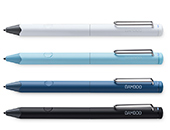
Wacom Pro Pen 3

The Wacom Pen precision you'd expect.  With customizable weight, grip thickness, pen buttons and center of gravity, find the balance that suits your style. 

Wacom Pro Pen 3E

The Wacom Pro Pen 3E features an eraser switch at the rear and a hole for attaching a pen tether. *The Wacom Pro Pen 3E only allows customization of the side switch. The grip and balance weight cannot be attached.

Wacom Pro Pen 3 Straight Grip

Straight grip replacement for your Wacom Pro Pen 3 (ACP50000DZ)

Wacom Pro Pen 3 Wood Grip

Straight grip replacement for your Wacom Pro Pen 3 (ACP50000DZ)

Wacom Pro Pen 3 Flare Grip

Flare grip replacement for your Wacom Pro Pen 3 (ACP50000DZ)

Power Adapter

Replacement AC Power Adapter is an external power supply designed to work specifically with Wacom Cintiq 16 (DTK168), Wacom Movink (DTH135), Wacom One (DTH134 / DTC121), Wacom MovinkPad 11 (DTHA116), Wacom MovinkPad Pro 14 (DTHA140). USB-C power port with region specific plug heads.

Wacom MovinkPad Pro 14 Cover

Protect your Wacom MovinkPad Pro 14 display safe – Magnetic cover with pen holder.

USB-C to C cable 1.0M

Replacement USB-C cable (1.0M) for Wacom One Pen tablets (CTC6110 / CTC4110), Wacom Intuos Pro (PTK870 / PTK670 / PTK470), Wacom MovinkPad 11 (DTHA116), Wacom MovinkPad Pro 14 (DTHA140). (Does not support video output.)

Wacom MovinkPad Pro 14 Specifications

All-in-One

Built-in OS

Battery-free Pen

No recharging

Pen

Wacom Pro Pen 3, the same tool loved by the pros & 3rd party compatible pens

Display Size

14.0-inch

Wacom Premium Textured Glass

Anti-Reflection
Anti- Glare
Anti- Fingerprint
Direct bonding

Wacom UX

Optimized creative experience for creators


Product Information

Product type

Portable Pad


Global Model Code

DTHA140E


Product Dimensions ( L x W x H )

323.3 x 210 x 5.9 mm / 12.7 x 8.3 x 0.23 in


Product Weight

699 g / 1.6 lb


Product Color

Light Gray


Storage Temperature and Humidity

  • Temperature: -10 to 60 degree C
  • Humidity: 30 to 90% RH (non-condensing)


Operating Temperature and Humidity

  • Temperature: 5 to 40 degree C
  • Humidity: 30 to 80% RH (non-condensing)


Warranty

2 years


Display & Pen & Touch Technology

Screen Size

14.0 in / 35.6 cm


Active Area

302 x 189 mm / 11.9 x 7.4 in


Display Technology

OLED


Surface

Wacom Premium Textured Glass (AR + AF + AG)


Direct Bonding

Yes


Touch Technology

Projected capacitive technology


Multi-touch

Yes - 10 fingers


Display Resolution

2880 x 1800 pixels


Display Colors

1.074 billion


Color Depth

10bit x RGB = 30bit


Color Gamut Coverage Ratio

sRGB 100%(CIE1931) (typ), DCIP3 100% (CIE1931)(typ)


Aspect Ratio

16:10


Viewing Angle

170 deg. (85/85) H / 170 deg. (85/85) V (typ)


Contrast Ratio

100,000:1 (typ)


Brightness

400cd/m2 (typ), Peak : 900cd/m2 (typ)


Refresh rate

60/120 Hz


Display Quality

Each OLED panel is produced under very stringent quality standards. Production techniques cannot guarantee an absolutely perfect TFT display. Wacom does not allow pixels to always white or always black. A small number of pixels are allowed to show a wrong color for some parts of the color spectrum.


Pen

Wacom Pro Pen 3 EVA Edition with Nib holder


Pen Technology

Electromagnetic resonance technology


Pen Pressure Levels

8192 levels


Supported Pen Tilt Angle

60 degrees


Pen Resolution

5080 LPI


Pen Type

Pressure-sensitive, cordless, battery-free


Switches

3 side switches


Computing Specification and Connectivity

Processor

Snapdragon® 8s Gen3


Memory

12GB


Storage

256GB


Additional Storage

microSD™ card slot x1


Operating system

Android™ 15


Wireless Connectivity

Wireless LAN IEEE802.11a/b/g/n/ac/ax
Bluetooth® 5.4


I/O Connectors

1x USB Type-C port (USB2.0)


Battery Type

Lithium-ion battery


Battery Capacity

10,000mAh (typ)


Continuous Operating Time

Up to 10.5 hours*

*JEITA Battery Operating Time Measurement Method Ver. 3.0


Camera

No


Mic/ Speaker

Dual Microphones
Stereo Speaker


Sensor

G-sensor
e-compass
Ambient light sensor
GNSS
GPS


System Requirement for Wacom MovinkPad Instant Pen Display

  • Windows: Windows 11 *Windows ARM-based computers are not supported
  • Mac: macOS 14 (Sonoma), 15(Sequoia), 26 (Tahoe) *Intel Mac computers are not supported.


What’s Included & Optional Accessories

What's Included

  • Wacom MovinkPad Pro EVA Edition
  • Wacom MovinkPad Pro 14 Cover EVA Edition
  • Wacom Foldable Stand EVA Edition
  • Wacom Rollup Case EVA Edition
  • Wacom Pro Pen3 EVA Edition with Nib holder
  • Flare Grip
  • Tall side switch insert with buttons
  • Replacement nibs (Carbon Shaft POM x1, Felt x1, POM x1,)
  • USB-C to C Cable
  • SD-card tool
  • IPI booklet
  • IPI Sheet
  • Regulation sheet


Optional Accessories

  • Wacom MovinkPad Pro 14 C over(ACK45633Z)

  • USB-C to C Cable 1.0M for Wacom Movink (ACK45206Z)

  • USB-C to C Cable 1.0M for Wacom One S & M (ACK45006Z)

  • Wacom Foldable Stand (ACK652Z)

  • Wacom Pro Pen 3 (ACP50000DZ)

  • Wacom Pro Pen 3E (ACP501E00DZ)

  • Power Adapter 15W US,TW JP (ACK44914A)

  • Power Adapter 15W EU,SW,UK (ACK44914B)

  • Power Adapter 15W AU,KR,IN (ACK44914C)

  • Wacom Pro Pen 3 Straight Grip (ACK34801Z)

  • Wacom Pro Pen 3 Flare Grip (ACK34802Z)

  • Wacom Pro Pen 3 Carbon Shaft POM Nibs (ACK24801Z)

  • Wacom Pro Pen 3 Felt Nibs (ACK24819Z)

  • Wacom Pro Pen 3 Carbon Shaft Rubber Nibs (ACK253010Z)


Back to top
A+ A-
Support