

- สำรวจ
- ผลิตภัณฑ์
-
องค์กร
Wacom สำหรับองค์กร

Signature
SolutionsReview, annotate, and sign digital documents with Wacom hardware and software solutions.

Creative Workflow Solutions
Enhance your creative process with professional pen displays, pen tablets and creative software integration.

Technology Solutions
โซลูชันเพื่อการปรับปรุงและประสิทธิภาพ สำหรับธุรกิจชั้นนำของโลก

Wacom Ink Technologies
กลไกหมึกและโครงร่างของชั้นหมึกระดับสากลที่เชื่อมต่อฮาร์ดแวร์ ซอฟต์แวร์ และแอปพลิเคชัน

การศึกษา
นำเสนออุปกรณ์และเครื่องมืออันหลากหลาย ที่จะช่วยให้ครูอาจารย์ตลอดจนนักเรียนสามารถสร้างสรรค์ สื่อสาร และสัมผัสกับประสบการณ์การเรียนรู้ได้อย่างเต็มเปี่ยม
-
การศึกษา

Creative Education
สร้างแรงบันดาลใจให้นักศึกษาพยายามขยายขอบเขตความคิดสร้างสรรค์ และเตรียมพวกเขาให้พร้อมสำหรับการประสบความสำเร็จในการประกอบอาชีพด้านศิลปะและการออกแบบ

Wacom และการศึกษา
สนับสนุนครูและนักเรียนเพื่อปรับสู่สภาพแวดล้อมการเรียนรู้ใหม่ ๆ
- การสนับสนุน
- Store














A display refined to feel like drawing on paper, combined with our highest-precision pen. The sensation of drawing exactly as you intend — a complete synchronization of the senses. An Evangelion collaboration design that elevates every moment of creation. For professionals devoted to their tools, it is an immersive creative experience beyond all expectations. Waccom MovinkPad Pro EVA Edition

Specially designed user interfaces for Wacom-exclusive applications such as Wacom Canvas and Wacom Shelf. Every time you begin drawing, the Evangelion series world synchronizes with your pen tablet, igniting your creative drive.
Wacom Shelf EVA
Honeycomb structure inspired by the world of EVANGELION series. Tagging color schemes modeled after iconic Evangelion units.
Wacom Canvas EVA
Choose from plain, storyboard-style, or layout-style backgrounds. Select pen colors inspired by the characters.
Wacom CClock EVA
Featuring built-in Clock and Compass functions.
The exclusive box features a holographic print of Evangelion Unit 01, while logo-accented accessories complete a cohesive, unified design. With every touch and every glance, the EVANGELION series world heightens your focus and deepens your engagement in the creative process.

The exclusive box features a holographic print of Evangelion Unit 01, while logo-accented accessories complete a unified design inspired by the Evangelion world.
With every touch and every glance, the Evangelion world heightens your focus and deepens your engagement in the creative process.

- Wacom MovinkPad Pro EVA Edition
- Wacom MovinkPad Pro 14 Cover EVA Edition
- Wacom Foldable Stand EVA Edition
- Wacom Rollup Case EVA Edition
- Wacom Pro Pen 3 EVA Edition

A 14" OLED display equipped with Wacom Premium Textured Glass. Engineered for creation with a high resolution of 2880 × 1800 pixels and 100% DCI-P3 wide gamut color coverage, it delivers a new standard of performance for OLED. AR (anti-reflection), AG (anti-glare), and AF (anti-fingerprint) treatments reduce reflections and glare while resisting fingerprints, for a truly stress-free experience.

Inspired by the familiar form of a mechanical pencil, Wacom Pro Pen 3 combines state-of-the-art EMR technology with highly precise pressure sensitivity. The result is the smoothest, most accurate digital linework ever achieved in Wacom’s history. Its modular design allows you to tailor the drawing feel to your needs. Like a dedicated instrument that extends the user’s senses, it becomes a pen optimized precisely for your hand.


Your experience drives innovation forward
With the Wacom MovinkPad Pro 14 - you can join Wacom Lab - an experimental creator community where we are beta-testing the latest features and services.
Wacom Lab provides early access to pre-release features, allowing users to experience them and contribute feedback to drive product improvements.
Your experiences will help share and co-create new features and services from Wacom, unlocking even greater possibilities.
[First Beta Feature Release: Instant Pen Display Mode]
The first feature available in Wacom Lab is Instant Pen Display mode, which allows you to connect your Wacom MovinkPad Pro 14 to your computer.
This feature makes it possible to draw directly on the Wacom MovinkPad Pro 14, utilizing the same applications that are running on your Windows or Mac.
This feature is still in beta and performance is not guaranteed.
For detailed instructions on how to use Pen Display mode, please refer to Getting Started Page.
Get complimentary software offers with every Wacom MovinkPad Pro 14*
*To get your complimentary software, you need to sign-in or create a Wacom ID with your personal data and register your Wacom MovinkPad Pro 14.

Clip Studio Paint EX
เครื่องมือการลงสีระดับแนวหน้า เหมาะสมที่สุดในทุกสไตล์การสร้างสรรค์ของคุณ ไม่ว่าจะเป็นการวาดภาพประกอบ การ์ตูน เว็บตูน หรือแอนิเมชัน ดึงศักยภาพในการสร้างสรรค์ไม่รู้จบจากการวาดของคุณออกมาด้วยคุณสมบัติจำนวนมหาศาล ที่จะช่วยให้คุณได้รับประโยชน์สูงสุดจากกระบวนการทำงานในประสบการณ์การวาดภาพที่สมจริง ฝึกฝนทักษะของคุณบนอุปกรณ์ Wacom ด้วย Clip Studio Paint EX ที่ฟรีสูงสุด 6 เดือน
* หากต้องการเริ่มต้นทดลองใช้งาน Clip Studio Paint EX ฟรีนานถึง 6 เดือน จำเป็นจะต้องลงทะเบียนกับ Celsys เป็นไปตามข้อกำหนดและเงื่อนไข

เปิดตัว Clip Studio Paint
Clip Studio Paint ระดับเริ่มต้นที่ได้รับความนิยมใช้โดยมืออาชีพทั่วโลก มีฟังก์ชันที่จำเป็นสำหรับการสร้างภาพประกอบ แปรงฟรีกว่า 40,000 แบบ โมเดล 3 มิติสำหรับอ้างอิง และความสามารถในการสร้างการ์ตูนและแอนิเมชั่นสั้น ๆ ใช้เครื่องนี้เป็นเวลา 2 ปีในการสร้างสรรค์อะไรก็ได้ตั้งแต่ภาพร่างไปจนถึงผลงานชิ้นเอกที่เสร็จสมบูรณ์
หมายเหตุ: ต้องมีบัญชี Clip Studio เพื่อใช้ Clip Studio Paint Debut มีเงื่อนไขการใช้งาน
ผู้ใช้ Clip Studio Paint DEBUT สามารถอัปเกรดเป็นแผนสมัครสมาชิก Clip Studio Paint Pro/EX รายเดือนหรือรายปีได้ในราคาพิเศษ


ibisPaint X
เพลิดเพลินกับการทดลองใช้ ibisPaint Prime Membership แบบเอ็กซ์คลูซีฟเป็นเวลา 180 วัน แอปวาดภาพทรงพลังที่ได้รับความนิยมจากทุกคนตั้งแต่ผู้เริ่มต้นจนถึงมืออาชีพ สมาชิก Prime จะได้รับสิทธิ์เข้าถึงแปรงมากกว่า 40,000 แบบ วัสดุ 20,000 รายการ ฟิลเตอร์ ฟอนต์ และอื่นๆ อีกมากมาย—เหมาะสำหรับการสร้างภาพประกอบ มังงะ โลโก้ หรือแอนิเมชันได้อย่างไม่จำกัด ใช้งานร่วมกับสมาร์ทโฟน, แท็บเล็ตพร้อมปากกา, และพีซี พร้อมระบบจัดเก็บข้อมูลบนคลาวด์เพื่อการแชร์ที่ง่ายดายและการสร้างงานได้อย่างราบรื่นทุกที่ทุกเวลา
*เพื่อเริ่มต้นทดลองใช้สมาชิก Prime ของ ibisPaint เป็นเวลาสูงสุด 180 วัน จำเป็นต้องลงทะเบียนกับ ibis ก่อน เงื่อนไขและข้อกำหนดมีผลบังคับใช้
อุปกรณ์เสริม

หัวปากกามาตรฐานของ Wacom Pro Pen 3 5 ชิ้น
หัวปากกามาตรฐานสำหรับเปลี่ยนสำหรับ Wacom Pro Pen 3 ของคุณ (ACP50000DZ) 5 ชิ้น

หัวปากกาสักหลาดของ Wacom Pro Pen 3 10 ชิ้น
หัวปากกาสักหลาดสำหรับเปลี่ยนสำหรับ Wacom Pro Pen 3 ของคุณ (ACP50000DZ) 10 ชิ้น

หัวปากกายางของ Wacom Pro Pen 3 ทั้งหมด 5 ชิ้น
หัวปากกายางสำหรับเปลี่ยนสำหรับ Wacom Pro Pen 3 ของคุณ (ACK253010Z) 5 ชิ้น
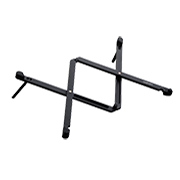
ขาตั้งแบบพับได้ Wacom
ขาตั้งนี้สามารถเปิดใช้งานได้อย่างรวดเร็วและง่ายดาย จากนั้นพับเก็บและพกพาในกระเป๋าได้
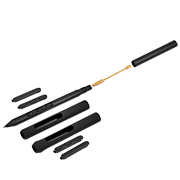
Wacom Pro Pen 3
ความแม่นยำจาก Wacom Pen ที่คุณคาดหวัง ค้นหาสมดุลที่เหมาะกับสไตล์ของคุณ ด้วยน้ำหนัก ความหนาของด้ามจับ ปุ่มปากกา และจุดศูนย์ถ่วงที่ปรับแต่งได้

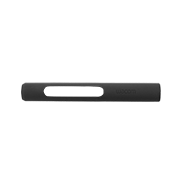
ด้ามจับแบบตรงของ Wacom Pro Pen 3
ด้ามจับแบบตรงสำหรับเปลี่ยนสำหรับ Wacom Pro Pen 3 ของคุณ (ACP50000DZ)

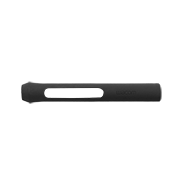
ด้ามจับแบบแท่งของ Wacom Pro Pen 3
ด้ามจับแบบแท่งสำหรับเปลี่ยนสำหรับ Wacom Pro Pen 3 ของคุณ (ACP50000DZ)
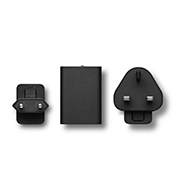
อะแดปเตอร์ไฟฟ้า Wacom One 12/13T
อะแดปเตอร์ไฟฟ้า Wacom One ใช้ได้กับ Wacom One 12 (DTC121W), Wacom One 13 touch (DTH134W) และ Wacom Movink พอร์ตจ่ายไฟ 15 W USB-C พร้อมหัวปลั๊กเฉพาะภูมิภาค

Wacom MovinkPad Pro 14 Cover
ปกป้องหน้าจอ Wacom MovinkPad Pro 14 ของคุณอย่างปลอดภัย – ฝาปิดแม่เหล็กพร้อมที่ใส่ปากกา
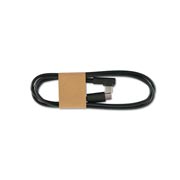
แท็บเล็ตพร้อมปากกา Wacom One S/M สายเคเบิล USB-C to C
สายเคเบิล USB-C (1 เมตร) สำหรับแท็บเล็ตพร้อมปากกา Wacom One Small (CTC4110WL) และ Medium (CTC6110WL)
Wacom MovinkPad Pro 14 Specifications

ออล-อิน-วัน
ระบบปฏิบัติการในตัว

ปากกาแบบไม่ใช้แบตเตอรี่
ไม่ต้องชาร์จซ้ำ

ปากกา
Wacom Pro Pen 3 เครื่องมือเดียวกับที่มืออาชีพชื่นชอบและปากกาที่เข้ากันได้กับอุปกรณ์อื่น

ขนาดหน้าจอแสดงผล
14.0 นิ้ว

กระจกเท็กซ์เจอร์พรีเมียมของวาคอม
การป้องกันการสะท้อนกลับ
กันแสงสะท้อน
กันรอยนิ้วมือ
สารยึดเกาะโดยตรง

Wacom UX
ประสบการณ์สร้างสรรค์ที่ได้รับการปรับให้เหมาะสมสำหรับผู้สร้างสรรค์
ข้อมูลสินค้า
ประเภทสินค้า
แผ่นพกพา
รหัสรุ่นสากล
DTHA140
ขนาดสินค้า ( กว้าง x ยาว x สูง )
323.3 x 210 x 5.9 มม. / 12.7 x 8.3 x 0.23 นิ้ว
น้ำหนักผลิตภัณฑ์
699 กรัม / 1.6 ปอนด์
สีของผลิตภัณฑ์
สีเทาอ่อน
อุณหภูมิและความชื้นในการจัดเก็บ
- อุณหภูมิ: -10 ถึง 60 องศาเซลเซียส
- ความชื้น: 30 ถึง 90% RH (ไม่ควบแน่น)
อุณหภูมิการทำงานและความชื้น
- อุณหภูมิ : 5 ถึง 40 องศาเซลเซียส
- ความชื้น : 30 ถึง 80% RH (ไม่ควบแน่น)
การรับประกัน
1 ปี
เทคโนโลยีการแสดงผล ปากกา และสัมผัส
ขนาดหน้าจอ
14.0 นิ้ว / 35.6 ซม.
พื้นที่ใช้งาน
302 x 189 มม. / 11.9 x 7.4 นิ้ว
เทคโนโลยีการแสดงผล
OLED
พื้นผิว
กระจกเท็กซ์เจอร์พรีเมียม Wacom (AR + AF + AG)
สารยึดเกาะโดยตรง
ได้
เทคโนโลยีสัมผัส
เทคโนโลยีแบบเก็บประจุไฟฟ้า
Multi-touch
ใช่ - 10 นิ้ว
ความละเอียดการแสดงผล
2880 x 1800 พิกเซล
สีที่แสดง
หนึ่งพันเจ็ดสิบสี่ล้าน
ความลึกของสี
10บิต x RGB = 30บิต
ขอบเขตสี
sRGB 100%(CIE1931) (โดยประมาณ), DCIP3 100% (CIE1931)(โดยประมาณ)
อัตราส่วนภาพ
16:10
มุมมอง
170 องศา (85/85) สูง / 170 องศา (85/85) วี (ทั่วไป)
อัตราส่วนคอนทราสต์
100,000:1 (โดยประมาณ)
ความสว่าง
400cd/m2 (โดยเฉลี่ย), สูงสุด:900cd/m2 (โดยเฉลี่ย)
การแปล: "การแปล"
Refresh rate
60/120 เฮิรตซ์
คุณภาพการแสดงผล
แต่ละแผง OLED ผลิตขึ้นภายใต้มาตรฐานคุณภาพที่เข้มงวดมาก เทคนิคการผลิตไม่สามารถรับประกันหน้าจอ TFT ที่สมบูรณ์แบบอย่างสิ้นเชิงได้ Wacom ไม่อนุญาตให้พิกเซลเป็นสีขาวหรือสีดำตลอดเวลา อนุญาตให้จำนวนพิกเซลเพียงเล็กน้อยแสดงสีผิดสำหรับบางส่วนของสเปกตรัมสี
ปากกา
Wacom Pro Pen 3 พร้อมที่ยึดปลายปากกา
เทคโนโลยีปากกา
เทคโนโลยีเรโซแนนซ์แม่เหล็กไฟฟ้า
ระดับแรงกดของปากกา
8192 ระดับ
รองรับการปรับมุมเอียง
60 องศา
ความละเอียดของปากกา
5080 เส้นต่อนิ้ว
ประเภทปากกา
ไวต่อแรงกด ไร้สาย ไม่ใช้แบตเตอรี่
Switches
3 สวิตช์
ข้อมูลจำเพาะการประมวลผลและการเชื่อมต่อ
โปรเซสเซอร์
Snapdragon® 8s Gen3
หน่วยความจำ
12GB
การแปล: "การแปล"
พื้นที่จัดเก็บ
256GB
พื้นที่จัดเก็บเพิ่มเติม
ช่องใส่การ์ด microSD™ x1
การแปล: "การแปล"
ระบบปฏิบัติการ
Android 15
การแปล: "การแปล"
การเชื่อมต่อแบบไร้สาย
เครือข่าย ไร้สาย IEEE802.11a/b/g/n/ac/ax
การแปล: "การแปล"
บลูทูธ® 5.4
ขั้วต่อ I/O
พอร์ต USB Type-C 1x (USB2.0)
ประเภทแบตเตอรี่
แบตเตอรี่ลิเธียมไอออน
ความจุของแบตเตอรี่
10,000mAh (โดยเฉลี่ย)
เวลาการทำงานต่อเนื่อง
สูงสุด 10.5 ชั่วโมง*
"
*วิธีการวัดระยะเวลาการใช้งานแบตเตอรี่ JEITA เวอร์ชัน 3.0
กล้อง
ไม่มี
ไมค์/ลำโพง
ไมโครโฟนคู่
ลำโพงสเตอริโอ
เซ็นเซอร์
เซ็นเซอร์จี
อี-คอมเพส
เซ็นเซอร์แสงโดยรอบ
ระบบกำหนดตำแหน่งบนพื้นโลกแบบดาวเทียม
จีพีเอส
ระบบที่รองรับสำหรับ Wacom MovinkPad Instant จอแสดงผลพร้อมปากกา
- Windows: Windows 11 *คอมพิวเตอร์ที่ใช้ Windows ARM ไม่รองรับ
- Mac: macOS 14 (Sonoma), 15(Sequoia) *คอมพิวเตอร์ Mac ที่ใช้ Intel ไม่รองรับ
บรรจุภัณฑ์และอุปกรณ์เสริมให้เลือก
รายการรวมอยู่
-
Wacom MovinkPad Pro 14
-
Wacom Pro Pen 3 พร้อมที่จับหัวปากกา (ก้านคาร์บอน POMx1, หัวปากกาฟองน้ำ x1, POM x1)
-
USB-C ถึง USB-C สายเคเบิล (1 เมตร/พลังงาน)
-
เครื่องมือการ์ด SD
-
ข้อมูลผลิตภัณฑ์ที่สำคัญ Booklet
-
เอกสารข้อบังคับ
อุปกรณ์เสริม
-
Wacom MovinkPad Pro 14 C over(ACK45633Z)
-
USB-C to C สายเคเบิล 1.0 เมตร สำหรับ Wacom Movink (ACK45206Z)
-
USB-C to C Cable 1.0 เมตร สำหรับ Wacom One S & M (ACK45006Z)
-
ขาตั้งแบบพับได้ (ACK652Z)
-
ปากกา Wacom Pro Pen 3 (ACP50000DZ)
-
Wacom Pro Pen 3E (ACP501E00DZ)
-
อะแดปเตอร์ไฟฟ้า 15W สหรัฐอเมริกา,ไต้หวัน,ญี่ปุ่น (ACK44914A)
-
อะแดปเตอร์ไฟฟ้า 15W EU,SW, UK (ACK44914B)
-
อะแดปเตอร์ไฟฟ้า 15W AU,KR,IN (ACK44914C)
-
Wacom Pro Pen 3 ด้ามจับตรง (ACK34801Z)
-
Wacom Pro Pen 3 Flare Grip (ACK34802Z)
-
ปากกา Wacom Pro Pen 3 ด้ามคาร์บอน หัวปากกา POM (ACK24801Z)
-
Wacom Pro Pen 3 หัวปากกาสักหลาด (ACK24819Z)
-
Wacom Pro Pen 3 ก้านคาร์บอน หัวปากกาหัวยาง (ACK253010Z)